Blog / AI Assistants
Bots Are Better at Organizing Than You'll Ever Be
Playbook: Grok Bot Playbook · PDF
I am not bad at organizing. I am busy. Consulting, DAM (digital asset management) work, shop work at my online print shop, EZ-INK (ez-ink.com), where we print custom apparel for schools and businesses, here at Nextlinq, my consulting and AI enablement desk, and building apps all leave files. Over about twenty years that becomes Downloads folders, Drive dumps, Drobo (network storage) archives, Gmail as a filing cabinet, and "temp" projects that never got a home.
Saturday-cleanup advice fails: the mess is bigger than one weekend, and the inflow never stops. What changed was handing the mechanical part to a Grok Bot — cloud computer, browser, connected apps, patience to list thousands of items. I still decide what matters. The Bot does inventory, proposals, naming, and the monthly hygiene I used to abandon by week three.
This is not "AI replaces my judgment." It is "a Bot is better than I will ever be at mechanical organization" — and that is most of the work.
My mess (and why Saturdays failed)
On my desk: final_FINAL_v3 trees — the DAM classic where every version claims to be the last. Drive orphans. Shop mail with invoice attachments. Client project folders that drifted after the job closed. An inbox like an unsorted receiving shelf: useful parts mixed with junk you meant to sort last season.
Manual cleanup fails on volume, context switching, and no maintenance. Bots are strong where I am weak: exhaustive listing, consistent naming, duplicate checks, and showing up again next month.
What I let a Bot do (and what I do not)
I treat a Bot like a junior ops person with a computer — someone who inventories the shelf and brings me the list, not someone who throws parts out.
It can:
- Inventory a folder tree or Drive location (counts by type, age, size, empty folders, obvious name duplicates)
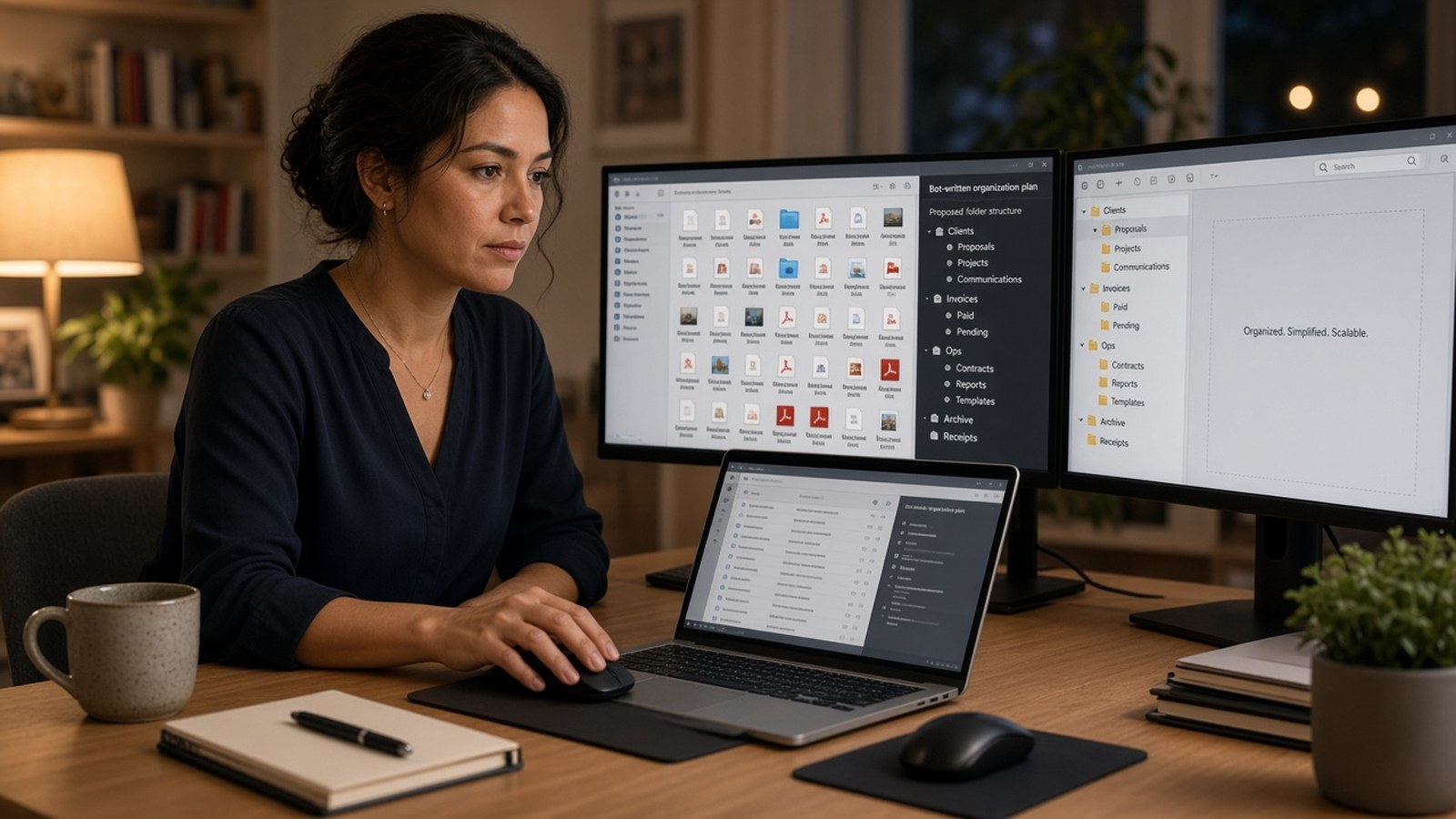
- Propose a taxonomy for my life — consultancy, EZ-INK, personal archive — and map old paths into it
- Rename batches with rules I approve (e.g.
YYYY-MM-DD_vendor_doc-type.pdf) - Plan pulling email attachments into Drive, then execute only after I OK
- Flag risk items (tax, PII, credentials) for me; propose monthly Downloads archive
It does not (without me): mass-delete, empty trash, broadly change sharing, email anyone about cleanup, or guess which PDF is the signed contract.
Draft-before-execute is the same rule as draft-before-send in the Grok Bot Playbook: the Bot prepares; I approve anything irreversible.
Checklist before any file move
Before a Bot moves a thousand files, I want a short checklist — the same habit I use before any big process change at the shop:
- Scope. Which folders are in play? Which are human-only (tax, medical, estate, signed contracts)?
- Inventory. Counts, ages, obvious duplicates — no moves yet.
- Taxonomy. One-page target structure I can read in five minutes.
- Sample table. Forty to a hundred example rename/moves so I can spot a bad pattern early.
- Batch plan. Undoable moves into
_Incoming/_Review/ real homes — never delete first. - My OK. Only then execute the first batch.
How I actually run it: local → cloud → email → hygiene
I do this in layers. One Organizer Bot can own the project, or I split Files and Inbox if the approval line differs.
1. Local files
I scope tightly: "Inventory Documents and Downloads only. Do not touch Photos, Drobo archives, or folders I marked human-only until I say so."
I ask for (1) a tree summary, (2) a one-page target structure, (3) a sample migration table for the first 50–100 items. I approve the structure before any moves. Execute in undoable batches — move, do not delete. Keep an _Incoming or _Review folder for anything ambiguous. DAM habit: no context in the filename means Review, not a clever home. final_FINAL stays there until I name the master.
2. Cloud drives
I connect Drive (or a signed-in browser) and start on one root folder I own. Useful outputs: orphans at the root, Invoices vs invoices 2023 duplicates, shared items I do not own (list only). Rule I have used: root items older than 90 days and unused for a year → Archive/YYYY/ after my OK.
3. Email as an unsorted shelf
I treat the inbox like a receiving shelf: some of it is job-critical, most of it is "meant to sort later." Bound it — last 24 months, has:attachment, known vendors or shop suppliers. Bot builds a table (date, sender, subject, attachment, suggested path); I approve rows; Bot saves approved attachments and logs what moved. Tax year, one entity (Nextlinq / EZ-INK), or one project slice are good first cuts.
4. Ongoing hygiene
Weekly Downloads clutter over a threshold; monthly archive candidates (quiet if nothing changed). I want "12 files ready for archive — approve batch?" not daily "still messy."
What still needs me
Bots beat me at sorting. I beat Bots at meaning — keep vs. purge for tax and legal, which duplicate is signed, who sees a folder after. Sensitive docs stay human-only until I say otherwise. Drobo migrations get a human at the keyboard; the Bot can inventory and propose, not decide which decade of media is the master.
For personal-plus-shop cleanup, one Organizer Bot with "never delete without approval" is enough. On the Nextlinq / EZ-INK desk I split when the approval boundary differs. The coordinator takes "clean this up" and hands the file pass to the Organizer.
Start this week
The first assignment I use (adapt the paths):
You are Organizer. Inventory Downloads and Documents only. Produce (1) a counts summary, (2) a proposed folder taxonomy for my consultancy, shop, and personal archive as separate top levels, and (3) a sample rename/move table for 40 files. Do not move or delete anything until I approve. Do not touch folders I marked human-only. Remember these boundaries.
Run that once. Approve the taxonomy. Then widen scope — like expanding a process after the first clean pattern.
Go deeper
Organizing was one of the first multi-hour Bot projects that paid for itself on my desk: high volume, clear finish lines, almost everything waits for my OK.
- Grok Bot Playbook (web) · PDF
- Help building an Organizer Bot: jack@nextlinq.com · Nextlinq
Independent educational content by Nextlinq Solutions Inc. Not official Cursor or xAI documentation. Product details change — verify in official docs. Examples are from the author's own desk and patterns seen in consulting — not client case studies or guaranteed results. Questions: jack@nextlinq.com